

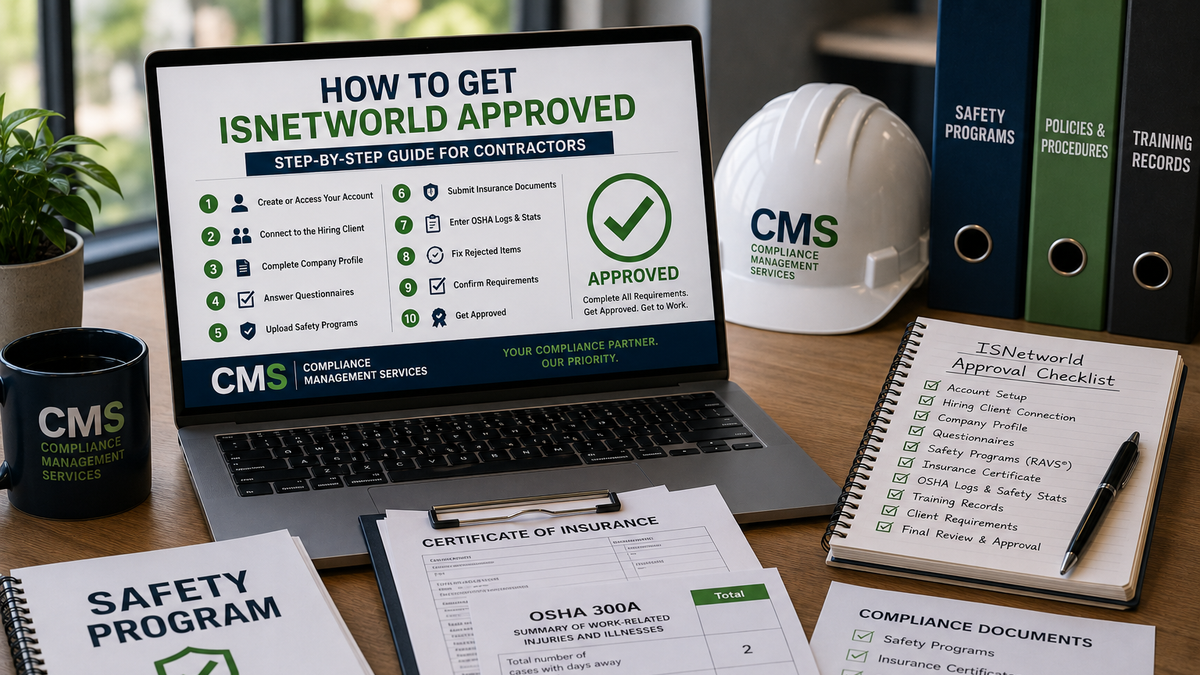
How to Get ISNetworld Approved: Step-by-Step Guide for Contractors
If a hiring client has told you that your company needs to get approved in ISNetworld®, you may be wondering where to start.
For many contractors, the process can feel confusing at first. You create an account, log in, and suddenly there are questionnaires, safety programs, insurance requirements, OSHA information, training documents, and client-specific tasks that all need attention.
The good news is that ISNetworld approval becomes much easier when you understand the process step by step.
This guide explains how contractors can get ISNetworld approved, what documents are commonly required, why accounts get rejected, and when it makes sense to get professional help.
Quick Answer: How Do You Get ISNetworld Approved?
To get ISNetworld approved, contractors usually need to create or access their ISNetworld account, connect to the correct hiring client, complete the company profile, answer safety and compliance questionnaires, upload required safety programs, submit insurance certificates, enter OSHA logs and safety statistics, and correct any rejected items.
Approval depends on the hiring client’s requirements and whether your company’s documents meet the required standards.
What Does ISNetworld Approval Mean?
ISNetworld is a contractor and supplier management platform used by hiring clients to review companies before allowing them to perform work.
When people say they need to be “ISNetworld approved,” they usually mean their company needs to meet the requirements assigned by a specific hiring client inside ISNetworld.
Those requirements may include:
- Written safety programs
- Insurance certificates
- OSHA logs and safety statistics
- Company questionnaires
- Employee training records
- Drug and alcohol policies
- Client-specific forms
- Acknowledgments and certifications
- Corrected audit comments
The exact requirements can vary from one contractor to another. A small office-based supplier may have different requirements than a construction, oil and gas, electrical, environmental, or industrial contractor.
How Long Does It Take to Get ISNetworld Approved?
The time it takes to get approved in ISNetworld depends on how complete your account is and how many requirements your hiring client has assigned.
Some contractors can move through the process quickly if they already have:
- Updated safety programs
- Correct insurance certificates
- Organized OSHA records
- Accurate company information
- Clear training documentation
Other contractors may take longer if they are missing safety programs, have rejected RAVS® documents, need insurance corrections, or have not maintained their OSHA logs.
The fastest way to get approved is to identify missing items early, submit the correct documents the first time, and respond quickly to any rejected items or audit comments.
Step 1: Create or Access Your ISNetworld Account
The first step is to create a new ISNetworld account or access your existing account.
If your company has never used ISNetworld before, you may need to register and pay the required account fees. If your company already has an account, you will need to log in and review the current status.
Before moving forward, make sure your account information is accurate, including:
- Legal company name
- Address
- Contact information
- Number of employees
- Industry type
- Services provided
- Tax or business identification details
- Primary account administrator
Incorrect company information can create delays later in the process.
Step 2: Connect to the Correct Hiring Client
In most cases, contractors are trying to get approved because a hiring client requires ISNetworld participation.
Your account must be connected to the correct hiring client before you can see all the requirements that apply to your company.
This is important because different hiring clients may have different standards. One client may require certain safety programs, insurance limits, or questionnaires that another client does not require.
If you work for multiple hiring clients, your account may have multiple sets of requirements.
Step 3: Review Your Dashboard and Open Requirements
Once your account is active and connected to the hiring client, review your dashboard carefully.
Look for:
- Incomplete sections
- Missing documents
- Rejected items
- Expired documents
- Open questionnaires
- Insurance deficiencies
- RAVS® safety program requirements
- Client-specific requirements
- Renewal deadlines
Your dashboard helps you understand what is preventing approval.
Do not assume that one completed section means the entire account is approved. ISNetworld approval usually depends on completing every applicable requirement for the hiring client.
Step 4: Complete Your Company Profile
Your company profile gives hiring clients basic information about your business.
This may include:
- Services your company provides
- Work locations
- Number of employees
- Years in business
- Safety contact information
- Company ownership details
- Trade or work categories
- Operational information
Answer these questions carefully. Your responses may affect which requirements are assigned to your company.
For example, if you indicate that your company performs confined space work, fall protection work, driving, electrical work, or hazardous material work, you may be required to submit additional safety programs or documentation.
Step 5: Complete the Safety and Compliance Questionnaires
ISNetworld questionnaires help hiring clients understand your company’s safety management practices.
These questionnaires may ask about:
- Safety policies
- Training procedures
- Incident reporting
- Drug and alcohol programs
- Subcontractor management
- Hazard assessments
- Emergency response
- Personal protective equipment
- Disciplinary programs
- Job safety analysis procedures
It is important to answer accurately. Do not guess, and do not select answers that are not supported by your actual safety programs or company practices.
If your questionnaire answers do not match your uploaded safety documents, it can create problems during review.
Step 6: Upload Required Safety Programs
Safety programs are one of the most common reasons contractors get stuck in ISNetworld.
Depending on your work type and hiring client requirements, you may need written safety programs such as:
- Hazard Communication
- Fall Protection
- Confined Space
- Lockout/Tagout
- Personal Protective Equipment
- Respiratory Protection
- Electrical Safety
- Emergency Action Plan
- Fire Prevention
- Bloodborne Pathogens
- Heat Illness Prevention
- Job Safety Analysis
- Incident Investigation
- Drug and Alcohol Policy
- Driving Safety
- Stop Work Authority
These documents need to be more than generic templates. They should be clear, complete, and aligned with your company’s actual work.
If your safety programs are missing required language or do not meet the review criteria, they may be rejected.
Step 7: Understand RAVS® Requirements
RAVS® is one of the main document review areas contractors deal with in ISNetworld.
RAVS® safety programs are reviewed to determine whether they meet required criteria. If a program does not meet the standard, it may be rejected with comments explaining what needs to be corrected.
Common RAVS® issues include:
- Missing required policy language
- Generic documents that are not company-specific
- Outdated safety programs
- Missing responsibilities
- Missing training requirements
- Missing inspection procedures
- Missing disciplinary policy language
- Inconsistent answers between questionnaires and documents
RAVS® rejections can delay approval, especially if multiple programs need revision.
Step 8: Submit Your Insurance Certificate
Many hiring clients require insurance documents to be submitted through ISNetworld.
Your certificate of insurance may need to show:
- General liability coverage
- Workers’ compensation coverage
- Auto liability coverage
- Umbrella or excess liability
- Professional liability, if applicable
- Pollution liability, if applicable
- Waiver of subrogation
- Additional insured wording
- Correct certificate holder information
- Required policy limits
Insurance requirements can be very specific. A certificate may be rejected because of missing wording, incorrect limits, expired policy dates, or missing endorsements.
If your insurance does not meet the hiring client’s requirements, you may need to work with your insurance agent to correct the certificate.
Step 9: Enter OSHA Logs and Safety Statistics
Contractors may be required to enter OSHA logs and safety performance information.
This may include:
- OSHA 300 logs
- OSHA 300A summaries
- OSHA 301 incident reports
- Total recordable incident rate
- DART rate
- Lost time cases
- Fatality history
- Employee hours worked
- Experience modification rate
Accurate safety statistics are important because hiring clients may use this information when reviewing your company.
If you do not have OSHA logs or are unsure whether your company is required to maintain them, you should review your recordkeeping obligations carefully.
Incorrect OSHA data can create delays or affect your approval status.
Step 10: Upload Training and Employee Documentation
Some hiring clients may require training records or employee-level documentation.
This may include:
- Orientation records
- Site-specific training
- Equipment training
- Operator certifications
- Drug testing documentation
- Medical evaluations
- Fit testing records
- Supervisor training
- Safety meeting records
Requirements vary by client and work type. Not every contractor will need the same employee-level documentation.
If training records are required, make sure they are accurate, current, and easy to verify.
Step 11: Correct Rejected Items
Rejected items are common in ISNetworld, especially for contractors completing the process for the first time.
Common rejected items include:
- Safety programs
- Insurance certificates
- OSHA information
- Questionnaires
- Training records
- Client-specific forms
When an item is rejected, read the rejection comments carefully. The comments usually explain what needs to be changed or added.
Do not simply upload the same document again unless the issue has been corrected. Repeatedly submitting the same rejected file can delay approval.
Step 12: Confirm Your Hiring Client Requirements Are Complete
After you complete the major sections, review your account again to make sure all hiring client requirements have been addressed.
Look for:
- Open tasks
- Pending reviews
- Rejected documents
- Expired documents
- Unanswered questions
- Missing forms
- Incomplete client requirements
Your goal is not just to upload documents. Your goal is to satisfy the requirements assigned by the hiring client.
If one requirement is still incomplete, your account may not show as approved.
Common Reasons Contractors Do Not Get ISNetworld Approved
Contractors often struggle with ISNetworld approval for the same reasons.
Common issues include:
- Missing safety programs
- Rejected RAVS® documents
- Incorrect insurance certificates
- Expired documents
- Incomplete questionnaires
- Inconsistent company information
- Missing OSHA logs
- Incorrect safety statistics
- Unanswered client-specific questions
- Lack of time to manage the account
In many cases, the contractor is capable of doing the work but does not have the time or experience to manage the process efficiently.
Can You Get ISNetworld Approved Faster?
Yes, but only if you know what is missing and address the requirements correctly.
To speed up the approval process:
- Review all open requirements before uploading documents
- Make sure your safety programs match the required criteria
- Ask your insurance agent for corrections as soon as possible
- Keep OSHA logs and safety statistics organized
- Respond quickly to rejected items
- Avoid uploading incomplete or generic documents
- Check the account regularly for updates
- Get help if you are unsure what the rejection comments mean
The biggest delays usually happen when contractors upload incorrect documents, miss client-specific requirements, or wait too long to correct rejected items.
Do You Need Help Getting ISNetworld Approved?
You can manage ISNetworld yourself, but many contractors choose to get help because the process can be time-consuming and confusing.
Professional ISNetworld support can help with:
- Account setup
- Requirement review
- Gap reports
- Questionnaire completion
- RAVS® safety program support
- Insurance deficiency review
- OSHA data entry
- Rejected item corrections
- Client-specific requirements
- Ongoing account maintenance
This can be especially helpful for small contractors, busy business owners, office managers, and companies without a dedicated safety department.
ISNetworld Approval Is Not a One-Time Task
Getting approved is important, but staying approved is just as important.
Your account may need ongoing updates for:
- Insurance renewals
- Annual OSHA logs
- Updated safety statistics
- Revised safety programs
- New hiring client requirements
- Expiring documents
- Training updates
- New questionnaires
If these items are missed, your company may fall out of compliance after being approved.
That is why many contractors use ongoing ISNetworld account management to keep their account updated throughout the year.
How Compliance Management Services Can Help
Compliance Management Services helps contractors manage ISNetworld and other contractor compliance accounts.
We help companies understand what is required, identify missing items, correct rejected documents, and work through the approval process from start to finish.
Our services can help with:
- ISNetworld account setup
- ISNetworld approval support
- RAVS® safety programs
- Insurance requirement review
- OSHA log and safety statistic entry
- Questionnaire completion
- Rejected item corrections
- Ongoing account maintenance
If you are trying to get approved quickly or do not have time to manage the process yourself, we can help simplify the work.
Final Thoughts
Getting ISNetworld approved can be challenging if you are not familiar with the platform or the requirements assigned to your company.
The process usually involves more than creating an account. Contractors may need to complete questionnaires, upload safety programs, submit insurance documents, enter OSHA information, correct rejected items, and satisfy hiring client requirements.
The best way to get approved is to review your requirements carefully, fix missing items early, and make sure your documents meet the required standards before submitting them.
Need help getting ISNetworld approved? Contact Compliance Management Services today and let us help you review your requirements, correct missing items, and move your account toward approval.
Disclaimer
Compliance Management Services is not endorsed by, sponsored by, approved by, or affiliated with ISN Software Corporation, ISNetworld®, or any other third-party compliance platform. ISN®, ISNetworld®, RAVS®, and related marks are trademarks or registered trademarks of their respective owners.