

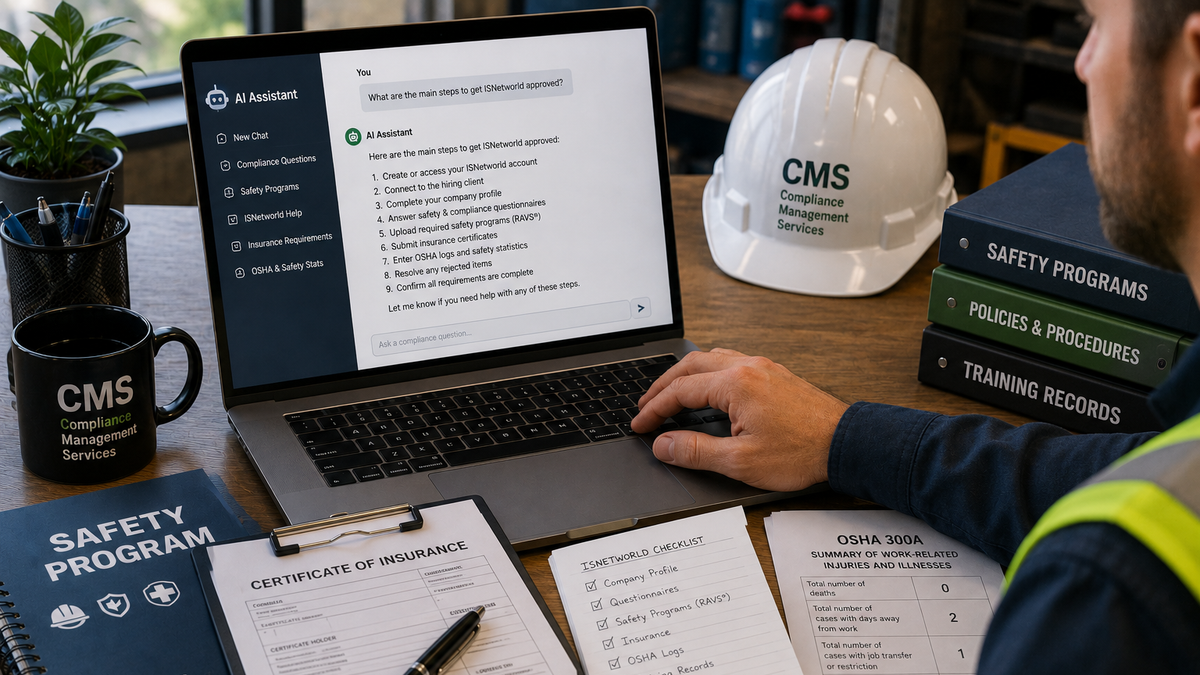
Why Is My ISNetworld Account Not Approved? Common Problems Contractors Miss
If your ISNetworld® account is not approved, you are not alone. Many contractors create an account, upload a few documents, answer some questions, and still find that their account is incomplete, pending, rejected, or not meeting the hiring client’s requirements.
This can be frustrating, especially if a job depends on getting approved.
Some contractors call this process ISN certification. Others call it ISNet approval, ISNetworld compliance, or simply “getting green” for a hiring client. No matter what term you use, the goal is usually the same: complete the requirements assigned to your company so your hiring client can approve you to work.
The problem is that ISNetworld approval is not always based on one item. It may depend on safety programs, insurance documents, OSHA logs, safety statistics, questionnaires, training records, and client-specific requirements all being completed correctly.
This guide explains the most common reasons your ISNetworld account may not be approved and how Compliance Management Services can help identify and fix the issues.
Quick Answer: Why Is My ISNetworld Account Not Approved?
Your ISNetworld account may not be approved because one or more hiring client requirements are incomplete, rejected, expired, pending review, or not aligned with your company information.
Common issues include rejected RAVS® safety programs, insurance certificate deficiencies, incomplete questionnaires, missing OSHA logs, incorrect safety statistics, expired documents, unanswered client-specific questions, or uploaded documents that do not meet the required criteria.
In many cases, the account is not “broken.” It simply has open requirements that still need to be corrected or completed.
ISNetworld Approval Depends on the Hiring Client
One of the biggest misunderstandings contractors have is thinking that an ISNetworld account is either approved or not approved in a general way.
In reality, approval often depends on the hiring client you are trying to work for.
Different hiring clients may require different items, such as:
- Specific safety programs
- Specific insurance limits
- Specific certificate holder wording
- OSHA logs and safety statistics
- EMR information
- Employee training records
- Site-specific forms
- Drug and alcohol policy information
- Client-specific acknowledgments
- Additional questionnaires
This means your account may look acceptable for one hiring client but still be incomplete for another.
If you are connected to multiple hiring clients, you need to review each client’s requirements carefully.
Reason 1: Your RAVS® Safety Programs Were Rejected
Rejected RAVS® safety programs are one of the most common reasons contractors struggle to get approved in ISNetworld.
RAVS® requirements usually involve written safety programs that must meet specific review criteria. If a program is missing required information, too generic, outdated, or inconsistent with your company details, it may be rejected.
Common RAVS® rejection issues include:
- Missing required policy language
- Missing responsibilities
- Missing training requirements
- Missing inspection procedures
- Missing disciplinary policy language
- Missing hazard assessment procedures
- Generic templates that are not company-specific
- Programs that do not match the work you perform
- Outdated safety language
- Inconsistent information between questionnaires and documents
A rejected RAVS® item usually includes comments explaining what needs to be corrected. However, those comments can be confusing if you are not used to safety program reviews.
Do not keep uploading the same document over and over. If the rejection comments are not addressed, the document may continue to be rejected.
Reason 2: Your Insurance Certificate Does Not Meet Requirements
Insurance deficiencies are another major reason an ISN, ISNet, or ISNetworld account may not be approved.
Your hiring client may require your certificate of insurance to include specific coverage types, limits, endorsements, and wording. Even a small missing detail can delay approval.
Common insurance issues include:
- Missing additional insured wording
- Missing waiver of subrogation
- Incorrect certificate holder
- Policy limits that are too low
- Missing auto liability coverage
- Missing umbrella or excess liability
- Missing workers’ compensation coverage
- Expired policy dates
- Incorrect company name
- Missing endorsement forms
- Certificate does not match the hiring client’s instructions
Sometimes the fix is simple. Other times, your insurance agent may need to update the certificate, add an endorsement, or adjust coverage.
Compliance Management Services can help review the deficiency and explain what may need to be corrected before you contact your insurance agent.
Reason 3: Your Questionnaires Are Incomplete or Inconsistent
ISNetworld questionnaires are often more important than contractors realize.
These questionnaires may ask about your company’s safety policies, work activities, training procedures, incident reporting, drug testing, subcontractor use, equipment, and safety management practices.
Your account may stay incomplete if:
- A questionnaire has not been started
- A questionnaire is partially completed
- Required questions were skipped
- Answers conflict with your uploaded safety programs
- Answers do not match your company operations
- Answers trigger additional requirements
- The wrong person answered without reviewing documents
For example, if your questionnaire says your company performs confined space work, you may be required to provide a confined space safety program. If your questionnaire says employees operate vehicles, you may need driving safety policies or related documents.
Questionnaire answers can affect what your account requires, so they should be completed carefully.
Reason 4: OSHA Logs or Safety Statistics Are Missing
Many contractors are required to enter OSHA logs, safety statistics, or injury and illness information inside ISNetworld.
This may include:
- OSHA 300 logs
- OSHA 300A summaries
- OSHA 301 incident reports
- Total hours worked
- Total recordable incident rate
- DART rate
- Lost time cases
- Fatality history
- Experience modification rate
- Number of employees
Your account may not be approved if this information is missing, incomplete, or entered incorrectly.
Common OSHA and safety statistic issues include:
- Missing annual OSHA information
- Incorrect employee hours
- Incorrect TRIR calculation
- Incorrect DART calculation
- Missing EMR documentation
- Inconsistent injury totals
- OSHA logs not uploaded when required
- Safety data not updated for the current year
Even if your company had zero injuries, you may still need to enter the required information correctly.
Reason 5: Your Documents Are Expired
Expired documents can cause a previously approved account to fall out of compliance.
Common documents that may expire include:
- Certificates of insurance
- Safety programs
- OSHA information
- Training records
- Employee certifications
- Drug testing documents
- Licenses
- Client-specific forms
- Annual acknowledgments
This is why ISNetworld compliance is not just a one-time task. Even after your account is approved, it may need regular maintenance.
If your account was approved before but is no longer approved, check for expired documents or annual renewal requirements.
Reason 6: You Missed a Client-Specific Requirement
Some requirements are specific to the hiring client. These can be easy to miss because they may not look like standard account requirements.
Client-specific items may include:
- Site orientation forms
- Drug and alcohol acknowledgments
- Custom safety questionnaires
- Project-specific documents
- Additional insurance wording
- Special training requirements
- Subcontractor forms
- Environmental policies
- Security requirements
- Additional certifications
If one client-specific requirement is incomplete, your account may still not show as approved for that hiring client.
This is especially important if your company works for multiple clients through ISNetworld.
Reason 7: You Uploaded the Wrong Document
Sometimes contractors upload a document, but it is not the document that was actually requested.
For example:
- Uploading a safety manual when a specific safety program is required
- Uploading an insurance certificate without required wording
- Uploading an OSHA form for the wrong year
- Uploading a blank template instead of a completed form
- Uploading a training sign-in sheet when a certification is required
- Uploading a document for the wrong company
- Uploading a file that does not answer the rejection comment
The system may show that something was uploaded, but that does not mean it was accepted.
The document still needs to match the requirement.
Reason 8: Your Account Is Still Pending Review
Not every incomplete-looking account has an error. Sometimes your documents are simply pending review.
This can happen after you submit:
- RAVS® safety programs
- Insurance certificates
- OSHA logs
- Client-specific documents
- Corrected rejected items
Pending review means the item may not be accepted or rejected yet. You may need to monitor the account and respond if comments are issued.
However, if something has been pending longer than expected, it may be worth checking whether anything else is still missing or whether the item was submitted correctly.
Reason 9: Your Company Information Does Not Match Across Documents
Inconsistent company information can create delays.
Your account information should generally match your submitted documents.
Watch for inconsistencies in:
- Legal company name
- DBA name
- Address
- Contact information
- Number of employees
- Work types
- Services provided
- Insurance certificate details
- OSHA logs
- Safety program company names
- Questionnaire answers
For example, if your ISNetworld profile lists one company name but your insurance certificate lists another, the account may require clarification or correction.
Consistency matters because hiring clients are reviewing your company as a whole.
Reason 10: You Are Looking at the Wrong Status
ISNetworld accounts may include different sections, scores, statuses, or requirement areas. Contractors sometimes assume the whole account is approved because one section looks complete.
But one completed section does not always mean the hiring client has approved the account.
Before assuming you are finished, review:
- Hiring client status
- Open requirements
- Rejected documents
- Pending items
- Expired documents
- Unanswered questionnaires
- Insurance status
- RAVS® status
- Client-specific forms
If you are unsure what is still holding up approval, a compliance review can help identify the missing piece.
What Should You Do If Your ISNetworld Account Is Not Approved?
If your ISNetworld account is not approved, start by reviewing the account carefully.
Use this basic troubleshooting checklist:
- Check for rejected RAVS® safety programs.
- Review insurance deficiencies.
- Look for incomplete questionnaires.
- Confirm OSHA logs and safety statistics are entered.
- Check for expired documents.
- Review client-specific requirements.
- Confirm uploaded documents match the requirement.
- Look for pending review items.
- Check for inconsistent company information.
- Review the hiring client’s approval status.
The key is to find the actual reason the account is not approved instead of guessing.
Can AI Tell Me Why My ISNetworld Account Is Not Approved?
AI tools can help explain common ISNetworld problems, but they cannot reliably tell you why your specific account is not approved unless you provide accurate account details, requirement information, rejection comments, and document context.
Even then, AI may not understand your exact hiring client requirements or the most current status inside your account.
AI can help you understand possible reasons. CMS can help review the actual account and identify what needs to be corrected.
That is why many contractors use Compliance Management Services when they are stuck.
How CMS Can Help Fix an Unapproved ISNetworld Account
Compliance Management Services can help contractors identify why their ISNetworld, ISN, or ISNet account is not approved and what needs to be corrected.
CMS can assist with:
- Reviewing account requirements
- Identifying missing items
- Creating a compliance gap list
- Reviewing rejected RAVS® comments
- Preparing or revising safety programs
- Reviewing insurance deficiencies
- Helping communicate corrections to insurance agents
- Completing questionnaires
- Entering OSHA logs and safety statistics
- Uploading required documents
- Monitoring pending items
- Supporting ongoing account maintenance
Instead of spending hours trying to figure out what is wrong, contractors can get help from someone familiar with the compliance process.
Why Getting Help Can Save Time
When a job depends on approval, delays can be expensive.
A rejected safety program, incorrect insurance certificate, or missed client-specific form can hold up your ability to work. The longer the account stays incomplete, the more frustrating the process becomes.
Getting professional help can save time by identifying the issue faster and helping you correct it properly.
For many contractors, the problem is not that they cannot do the work. The problem is that they do not have time to manage every detail inside the account.
CMS helps take that burden off your plate.
FAQ: ISNetworld Account Not Approved
Why does my ISNetworld account still show incomplete?
Your account may still show incomplete because one or more requirements are missing, rejected, expired, pending review, or not completed for the specific hiring client.
Can my account be approved for one client but not another?
Yes. Different hiring clients may have different requirements. Your account may satisfy one client but still be incomplete for another.
Why were my RAVS® safety programs rejected?
RAVS® safety programs may be rejected if they are missing required language, too generic, outdated, inconsistent with your questionnaire answers, or not specific enough to your company.
Why was my insurance certificate rejected?
Insurance certificates may be rejected because of missing additional insured wording, missing waiver of subrogation, incorrect certificate holder details, insufficient limits, expired policies, or missing endorsements.
Do I need OSHA logs if my company had no injuries?
Possibly. Even if your company had zero injuries, you may still need to enter OSHA safety information or provide required forms, depending on your company and hiring client requirements.
Can CMS help if I already started the process?
Yes. CMS can help review your current account status, identify missing or rejected items, and assist with corrections.
Final Thoughts
If your ISNetworld account is not approved, there is usually a specific reason. The challenge is finding it.
The issue may be a rejected RAVS® safety program, an insurance deficiency, missing OSHA data, incomplete questionnaires, expired documents, or a client-specific requirement that has not been completed.
The best next step is to review the account carefully and identify what is still open, rejected, expired, or pending.
Need help figuring out why your ISNetworld account is not approved? Contact CMS today for help reviewing your requirements, fixing rejected items, correcting missing documents, and moving your account toward approval.
Disclaimer
CMS is not endorsed by, sponsored by, approved by, or affiliated with ISN Software Corporation, ISNetworld®, or any other third-party compliance platform. ISN®, ISNetworld®, RAVS®, and related marks are trademarks or registered trademarks of their respective owners.